> ## Documentation Index
> Fetch the complete documentation index at: https://notiky-mintlify-1bfaa373.mintlify.site/llms.txt
> Use this file to discover all available pages before exploring further.
# Decision to task
> PM workflow for turning a product decision into shipped work — think it through in a Conversation, draft tasks in Plan mode, then assign an agent to build.
Goal: **turn a product decision into assigned work** without losing context between chat and the board.
 ***
## Scenario
You're deciding whether to ship feature X this sprint. You want to:
1. Explore tradeoffs with AI that pushes back (not yes-man chat)
2. Break the decision into tasks with enough context
3. Assign implementation to an agent on a connected runtime
***
## Steps
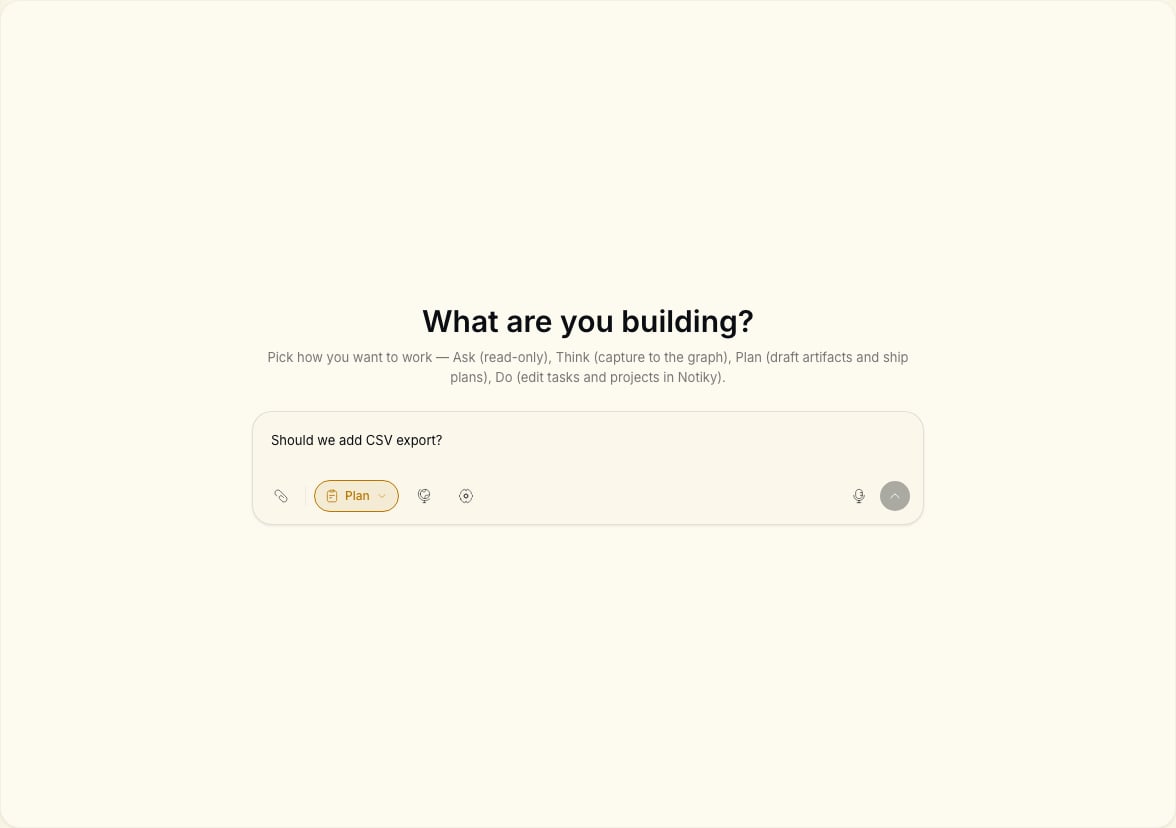
From your workspace, open **Conversations**. Select **Think** in the mode pills (**Ask**, **Think**, **Plan**, **Do**).
Prompt example:
> We're considering shipping SSO for enterprise. What are the risks we haven't written down? Challenge our assumptions.
When you're aligned, switch to **Plan**. Ask Notiky to draft tasks with titles, descriptions, and suggested priority — still without mutating the board.
Switch to **Do** if you want the agent to create tasks directly, or copy the plan into **New Task** manually for more control.
Pick one task with clear acceptance criteria. Assign it to an [agent](/agents) that has access to your repo via a connected runtime.
***
## Scenario
You're deciding whether to ship feature X this sprint. You want to:
1. Explore tradeoffs with AI that pushes back (not yes-man chat)
2. Break the decision into tasks with enough context
3. Assign implementation to an agent on a connected runtime
***
## Steps
From your workspace, open **Conversations**. Select **Think** in the mode pills (**Ask**, **Think**, **Plan**, **Do**).
Prompt example:
> We're considering shipping SSO for enterprise. What are the risks we haven't written down? Challenge our assumptions.
When you're aligned, switch to **Plan**. Ask Notiky to draft tasks with titles, descriptions, and suggested priority — still without mutating the board.
Switch to **Do** if you want the agent to create tasks directly, or copy the plan into **New Task** manually for more control.
Pick one task with clear acceptance criteria. Assign it to an [agent](/agents) that has access to your repo via a connected runtime.
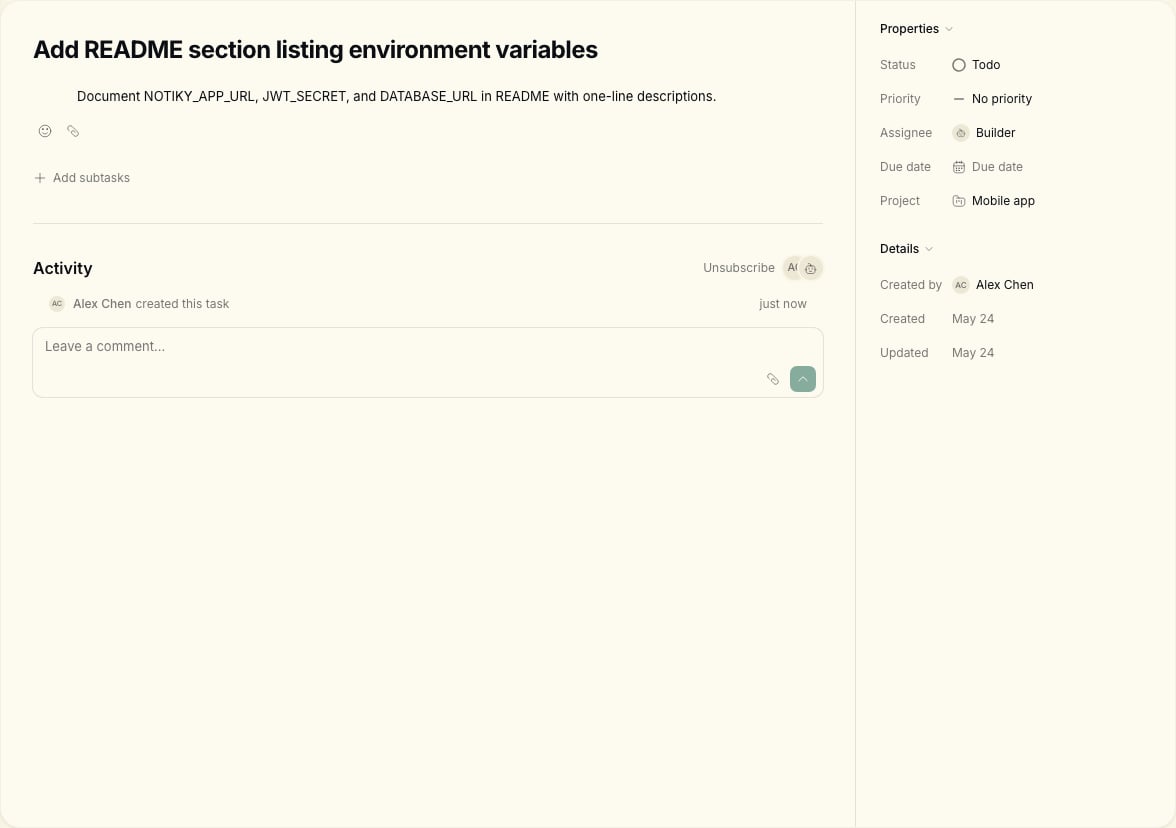 Use [Tasks](/tasks) board columns — **Backlog**, **Todo**, **In Progress** — so everyone sees status. Link back to the conversation in a task comment for audit trail.
***
## Mode cheat sheet
| Mode | Use when |
| ----- | ---------------------------------------------- |
| Ask | Quick factual questions from workspace context |
| Think | Exploring decisions — AI can argue back |
| Plan | Drafting tasks without executing |
| Do | Creating/updating tasks and artifacts |
Full reference: [Conversations](/conversations).
***
## Tips for PMs
* Keep one decision per conversation thread when possible.
* Task descriptions should include **why**, not just **what** — agents use the same context humans do.
* Use [Projects](/projects) if the work spans multiple tasks for one initiative.
***
Start a new thread for a new decision. Link the old conversation URL in the first task comment for traceability.
Ask for acceptance criteria per task before moving to **Do** or manual task creation.
***
## Related
Common questions about agents and Conversations.
Use [Tasks](/tasks) board columns — **Backlog**, **Todo**, **In Progress** — so everyone sees status. Link back to the conversation in a task comment for audit trail.
***
## Mode cheat sheet
| Mode | Use when |
| ----- | ---------------------------------------------- |
| Ask | Quick factual questions from workspace context |
| Think | Exploring decisions — AI can argue back |
| Plan | Drafting tasks without executing |
| Do | Creating/updating tasks and artifacts |
Full reference: [Conversations](/conversations).
***
## Tips for PMs
* Keep one decision per conversation thread when possible.
* Task descriptions should include **why**, not just **what** — agents use the same context humans do.
* Use [Projects](/projects) if the work spans multiple tasks for one initiative.
***
Start a new thread for a new decision. Link the old conversation URL in the first task comment for traceability.
Ask for acceptance criteria per task before moving to **Do** or manual task creation.
***
## Related
Common questions about agents and Conversations.